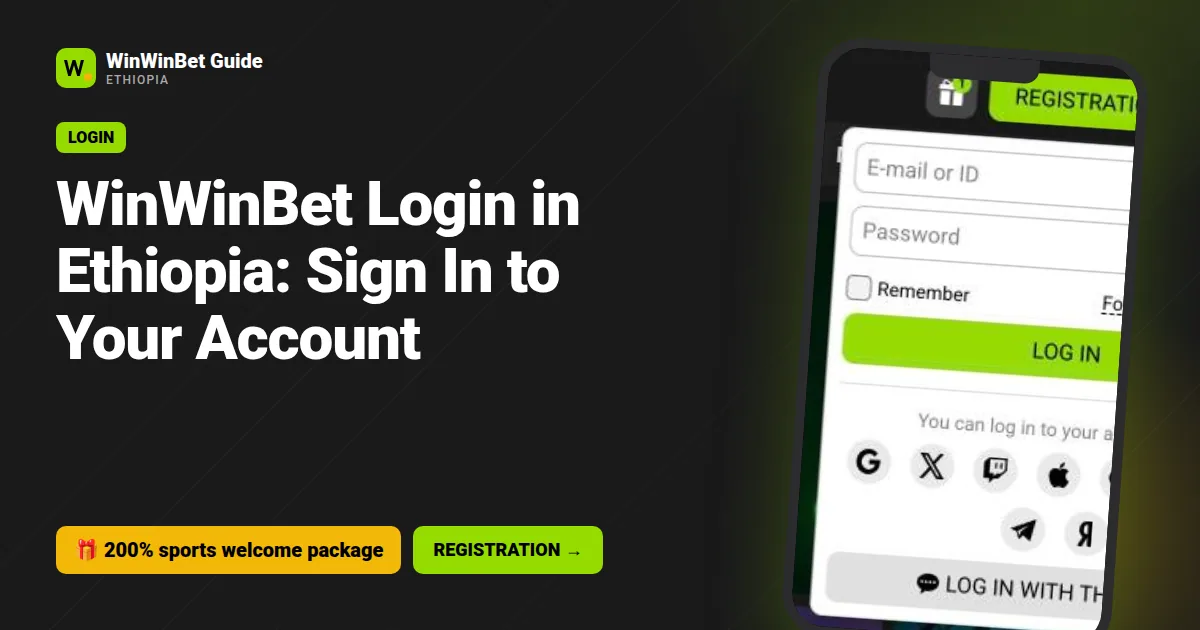
For WinWinBet login, tap Log in in the header, enter your E-mail or ID and Password, and confirm. You can also use a linked social network or choose Log in with the code. If you forgot the password, tap Forgot your password? and reset it by SMS or e-mail.
- Sign in with e-mail or ID plus password, a social network, or a one-time code
- Tick Remember only on a phone nobody else uses
- Missing SMS? Check +251 format, wait, then request again
- Use only the operator's own addresses and app; ignore mirror links from strangers
- Real support never asks for your password or Telebirr PIN
On this page
- How to Do a WinWinBet Login in Ethiopia
- What Is Log In With the Code?
- WinWin Bet Login on the App vs the Browser
- Forgot Password? How to Reset It
- Why Is the SMS Code Not Arriving?
- Login Problems: Account Blocked or Suspended
- Why Won't the WinWinBet Site Open?
- How to Keep Your WinWinBet Sign In Secure
- What to Do Once You Are Signed In
- Logging In on a Laptop or Internet Cafe Computer
- Frequently asked questions
Most of the time, a WinWinBet login takes five seconds. The trouble starts when it does not: the password is rejected, the SMS code is stuck somewhere on the network, or the page refuses to open on a Friday evening before a big EPL match.
This guide covers the normal sign-in routes first, then works through each common problem with a fix you can try right away.
WinWinBet Ethiopia Guide is an independent guide, not the betting operator, and buttons here are partner links. We cannot reset your password or unlock your account, but we can show you how to do it yourself or what to tell support.
How to Do a WinWinBet Login in Ethiopia
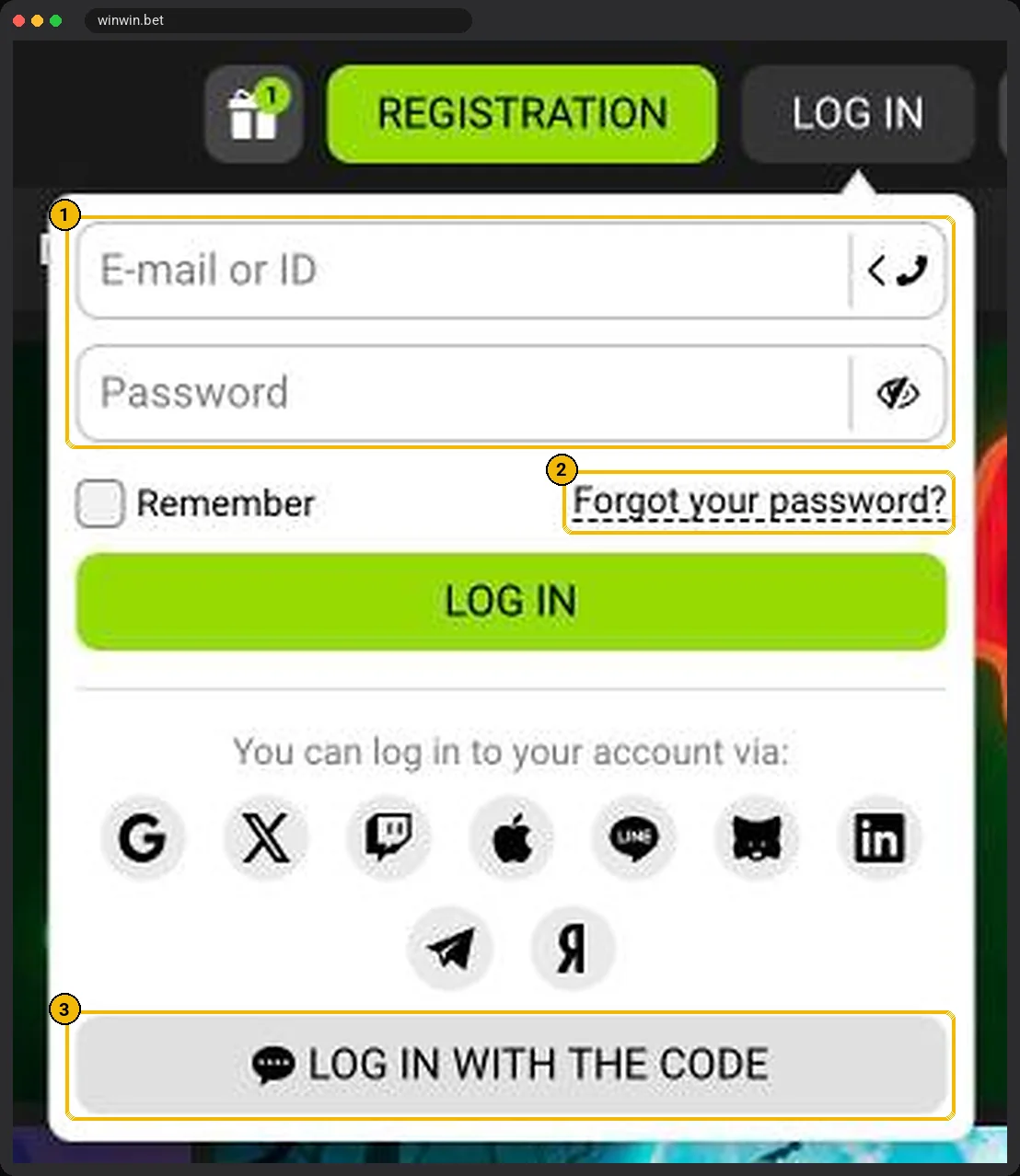
The Log in button sits in the top-right corner of every page. It opens a small panel with fields for E-mail or ID and Password, a Remember checkbox and a Forgot your password? link.
| If you registered with | Log in with | Note |
|---|---|---|
| E-mail and password | Case does not matter for the e-mail | |
| Phone | Account ID and password, or Log in with the code | Your ID is shown in the profile and in the sign-up confirmation |
| One-click | Generated account ID and password | Find them in the file or screenshot you saved |
| Social networks | The same social button | You must be signed in to that network on the device |
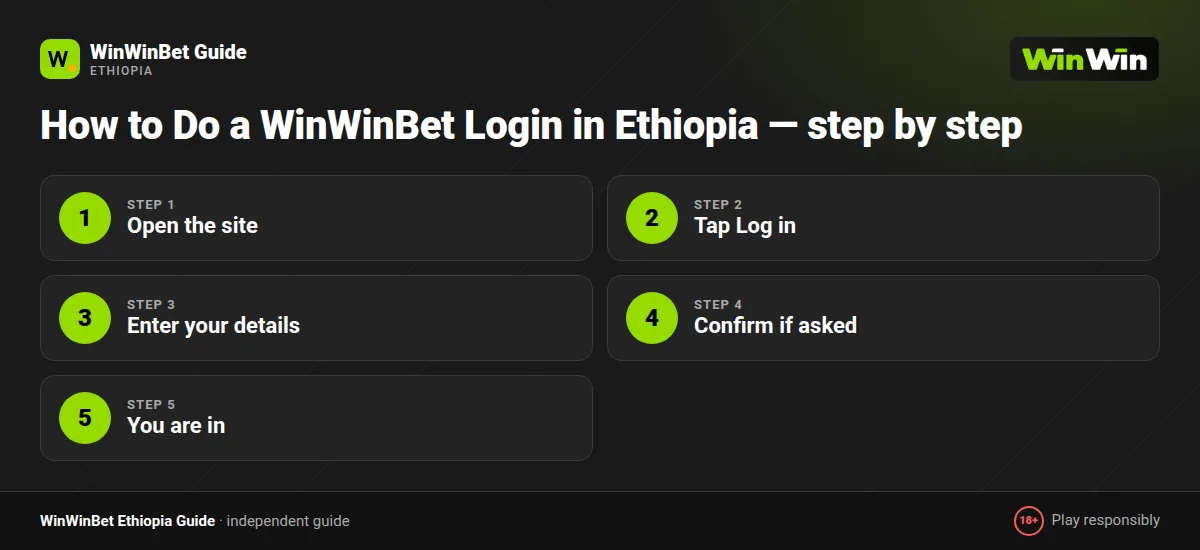
Login steps on a mobile browser
- Open the site
Launch Chrome and go to the WinWinBet site, or use a partner link from this page.
- Tap Log in
Find the button in the top-right corner.
- Enter your details
Type your e-mail or account ID and your password, or pick a social network.
- Confirm if asked
If a code is requested, enter the digits from the SMS or e-mail.
- You are in
Your balance appears in the top bar once you are signed in.
Log in with the code is handy if you forgot your ID: the site sends a one-time code to your linked contact instead of asking for the password.
What Is Log In With the Code?
Log in with the code is a link at the bottom of the login panel. Instead of typing your password, you request a one-time code that is sent to a contact linked to your account.
It is useful when you remember your phone or e-mail but not your account ID or password. It only works if that contact is confirmed in your profile, which is one more reason to activate your phone number after registering.
A login code is as sensitive as a password. Never read it out or forward it to anyone, including people who say they are support agents.
WinWin Bet Login on the App vs the Browser
In the Android app you usually sign in once and stay logged in until you tap Log out or clear the app's data. That is convenient on your own phone, but risky on a shared one. Depending on your phone and app version, a quicker unlock option may be offered; check the app settings.
In a browser, the session ends when cookies are cleared, which some phone cleaner apps do automatically. If you keep getting logged out, check whether a cleaner or data saver is wiping browser data. Chrome's Lite mode and Opera Mini's extreme saving can also interfere with login forms; switch them off if the page behaves oddly.
Not installed the app yet? Our WinWin Bet app guide shows how to install the APK safely from the operator's own site.
Forgot Password? How to Reset It
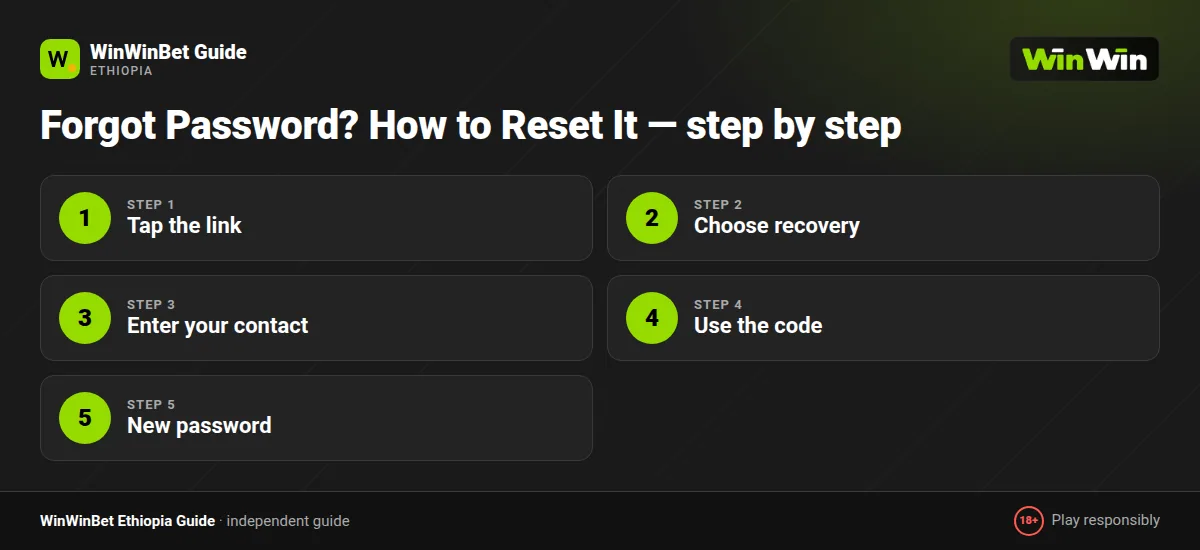
- Tap the link
In the login panel, tap Forgot your password?
- Choose recovery
Pick recovery by phone or by e-mail.
- Enter your contact
Type the number or e-mail linked to your account.
- Use the code
Enter the code you receive, or open the link in the e-mail.
- New password
Create and confirm a new password, then log in straight away to test it.
Choose a password of at least 10 characters mixing words and numbers. Avoid your phone number, birth year or the name of your favourite club, which are the first things people try.
If neither the phone number nor the email on the account is available to you any more, password recovery will not work. Contact support through live chat on the site and the Contacts page and be ready to prove your identity with the same ID document used for verification.
Why Is the SMS Code Not Arriving?
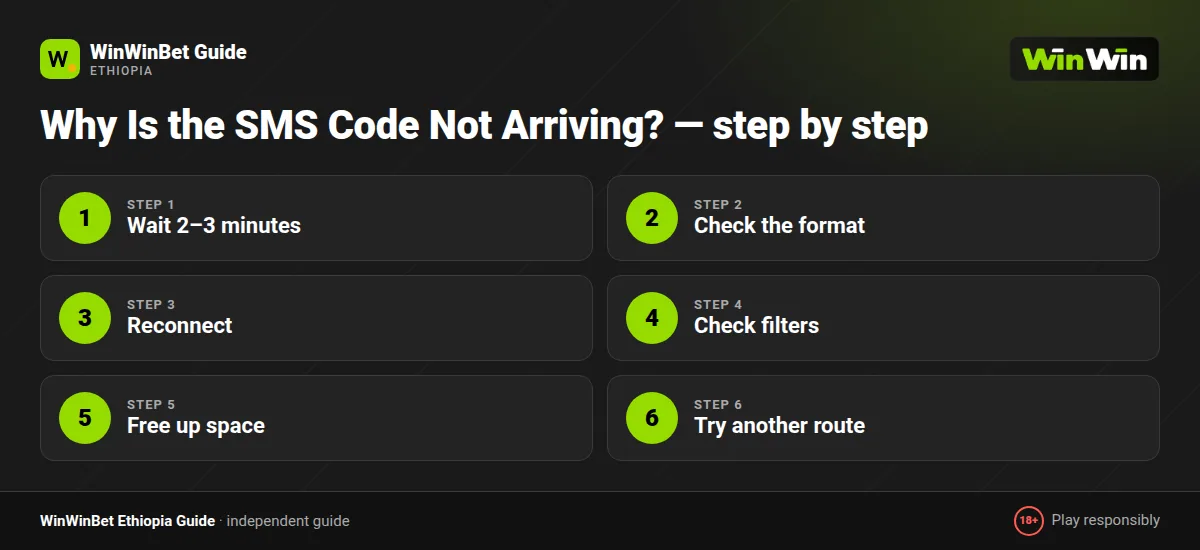
This is the most common login complaint from Ethiopian players, and it is usually a network issue rather than a problem with your account. Work through the list in order:
- Wait 2–3 minutes
During busy evenings SMS delivery on Ethio Telecom and Safaricom Ethiopia can lag.
- Check the format
Use +251 followed by nine digits, without the leading zero.
- Reconnect
Check your signal and toggle airplane mode on and off.
- Check filters
Look in blocked or spam messages; some Android phones filter short-code senders.
- Free up space
Older phones stop receiving SMS when the inbox or storage is full.
- Try another route
Request the code by e-mail if offered, or contact support after three attempts.
Login Problems: Account Blocked or Suspended
An account can be restricted for several reasons. Knowing which one applies helps you fix it faster.
| Message or situation | Common reason | What to do |
|---|---|---|
| Too many login attempts | Wrong password entered repeatedly | Wait a while, then reset the password |
| Account under review | Verification pending or documents unclear | Upload clear ID photos in your profile and wait for review |
| Account closed | Duplicate account or terms breach | Contact support for the reason in writing |
| Self-exclusion active | You requested a break | Wait until the period ends; it cannot be shortened |
| Unusual activity detected | Login from a new device or country | Confirm your identity through support |
When writing to support, include your account ID, the exact error text and a screenshot. It saves one round of back-and-forth questions.
Not sure how to reach them? Our customer care guide lists the contact routes and what to prepare.
Why Won't the WinWinBet Site Open?
Sometimes the problem is not your login details but reaching the site at all. Betting sites can be slow or temporarily unreachable on certain networks, and data restrictions or maintenance windows also play a role.
Safe steps to try
- Switch between mobile data and Wi-Fi, or between your Ethio Telecom and Safaricom SIM if you have both.
- Clear the browser cache and cookies, then reload.
- Try a different browser, for example Chrome instead of a built-in one.
- Use the official Android app, which connects through its own routes.
- Check the operator's official social channels or contact support for current access details.
Be careful with so-called mirror links. Only use addresses published by the operator itself or provided by official support. Look-alike domains shared in Telegram groups are a common way to steal passwords, and modified APK files from third-party sites can capture your Telebirr details. Never download the app from anywhere except the operator's own website.
Also remember that access rules differ across Ethiopia and can change. If online betting is not permitted where you are, the right step is not to work around it.
How to Keep Your WinWinBet Sign In Secure
Your betting account holds real money and is linked to your Telebirr wallet, so protect it like a bank app.
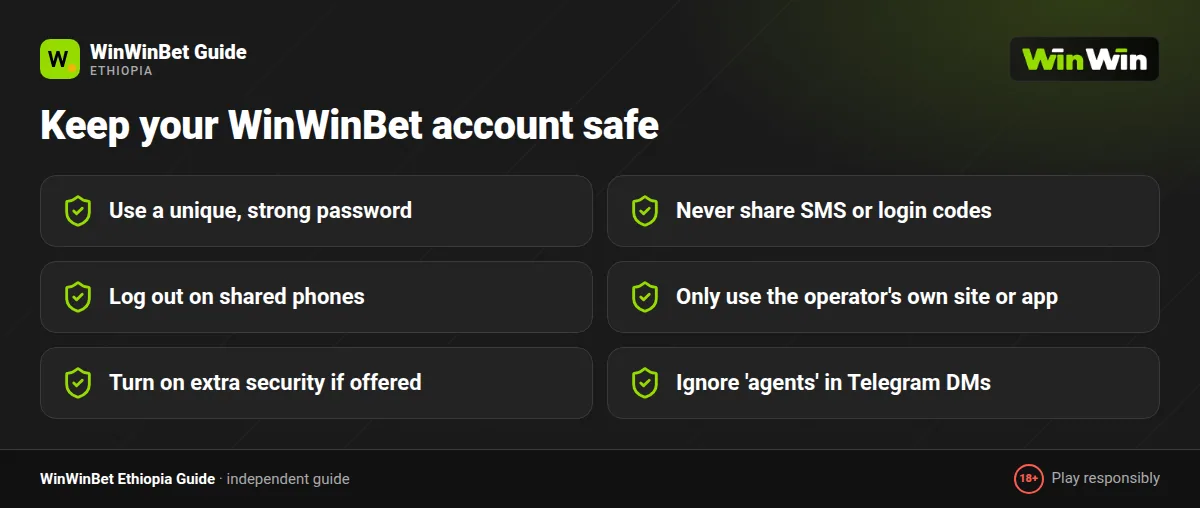
- Turn on two-step verification if your security settings offer it, so a code is needed as well as your password on new devices.
- Use a unique password that you do not use for e-mail, Facebook or Telegram.
- Never share codes. No real support agent needs your SMS code or password.
- Check active sessions in your profile if that option is shown, and end any you do not recognise.
- Log out on shared phones and leave Remember unticked.
- Lock your SIM with a PIN so a stolen phone cannot receive your codes.
If you suspect someone else accessed your account, change the password immediately, end all sessions and contact support. Check your transaction history for withdrawals you did not make.
What to Do Once You Are Signed In
After logging in, the top bar shows your balance and the deposit button. From here you can top up with Telebirr, place bets or check bonus progress.
If your account is new, finish verification now so a future withdrawal is not delayed. Our payments guide covers deposits and cashouts, and the bonus guide explains how to track wagering.
New to betting slips? See how to bet on WinWinBet, or go straight to live betting if a match is already in play.
Do not have an account yet? Follow our registration guide first. And whenever you log in, keep an eye on time and spending; limits can be set in your profile, and our responsible gambling page explains how.
Logging In on a Laptop or Internet Cafe Computer
The desktop login works the same way as on mobile. If you use a computer in an internet cafe or office, open a private or incognito window, never tick Remember me, and log out and close the browser when you finish. Shared computers can have keyloggers installed, so avoid them for anything involving money if you can.
Frequently asked questions
How do I log in to WinWinBet?
Tap Log in, enter your e-mail or account ID and password, and tap Log in. You can also use a linked social network or Log in with the code.
I forgot my WinWinBet password. What now?
Tap Forgot your password? in the login panel, choose phone or e-mail recovery, enter the code you receive and set a new password.
Why am I not getting the SMS code?
Usually network delay or a wrong number format. Use +251 without the leading zero, wait a few minutes, check blocked messages and request again.
My account is blocked. How do I unblock it?
Wait if you entered the wrong password too many times, otherwise contact support with your account ID and the exact message you see.
Can I stay logged in on the app?
Yes. The Android app keeps you signed in until you log out. Only use this on a phone that nobody else uses.
Is it safe to use mirror links to log in?
Only use addresses published by the operator or given by official support. Unknown links and APKs from third parties can steal your password and wallet details.
Why does WinWinBet keep logging me out?
Usually because a cleaner app, data saver or browser setting deletes cookies. Allow cookies for the site, or use the official Android app, which keeps you signed in.
How does Log in with the code work?
Tap Log in with the code in the login panel and enter the one-time code sent to the contact linked to your account. Your phone or e-mail must already be confirmed.